
Ask in plain language
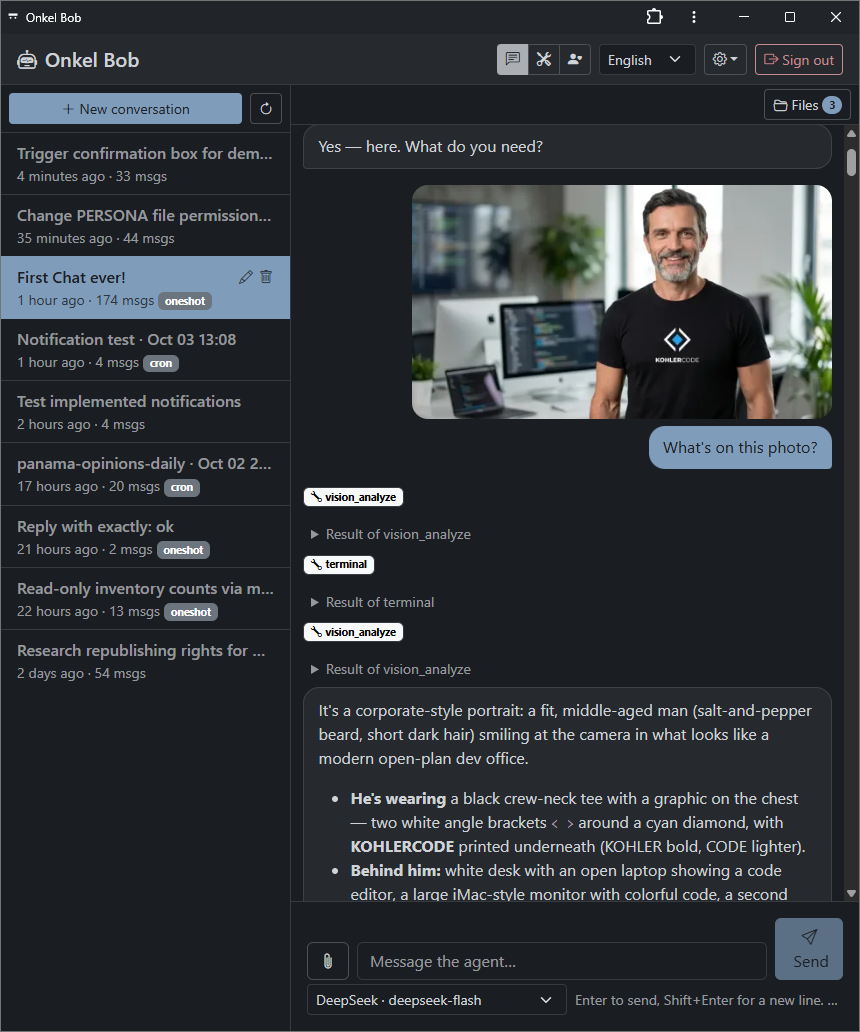
The team writes what it needs. The reply streams into the page while the agent writes it, instead of a blank screen.
Open source
KocoUI is a web interface for Hermes Agent that runs on your own server. Your team asks for work in a browser tab, approves what the agent wants to do, and collects the results. Nothing is sent to a third party.

What it changes
Hermes Agent is powerful from a terminal. Most teams never get there, because a command line is a wall for everyone who is not an engineer.
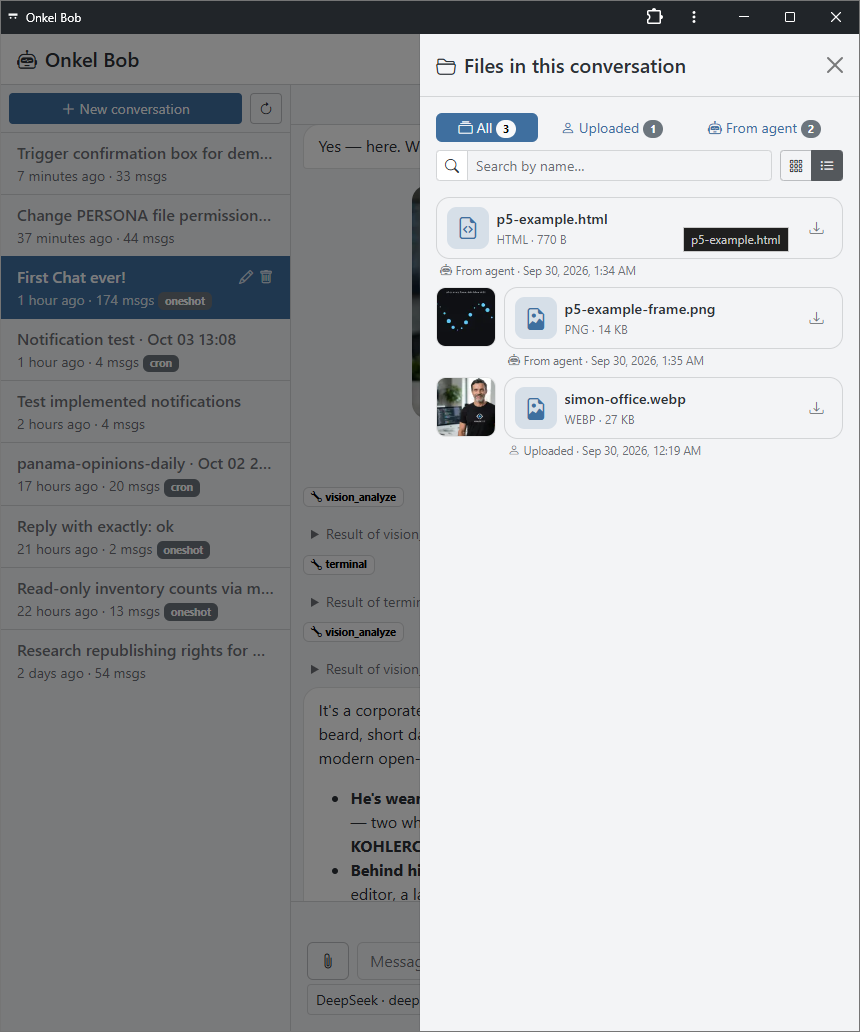
KocoUI puts the same agent in a browser. Work is requested in plain language, the answer appears while it is written, and each action the agent wants to take is approved with one click. When the agent produces a file, it stays in the conversation where the team can open it.
It works on a phone too. Added to the home screen it behaves like an app, including a notification when the agent needs an answer or has finished.
What you get
The team writes what it needs. The reply streams into the page while the agent writes it, instead of a blank screen.
Every action that needs a decision appears as a card with clear options: once, for the session, always, or no. Nothing runs behind your back.
Drag a document into the message, and open whatever the agent sends back without leaving the conversation.
The interface is fully usable on a phone, installs to the home screen, and can notify the team when a reply or an approval is waiting.
KocoUI uses the agent you already run and the providers you already configured. No extra account and no second bill.
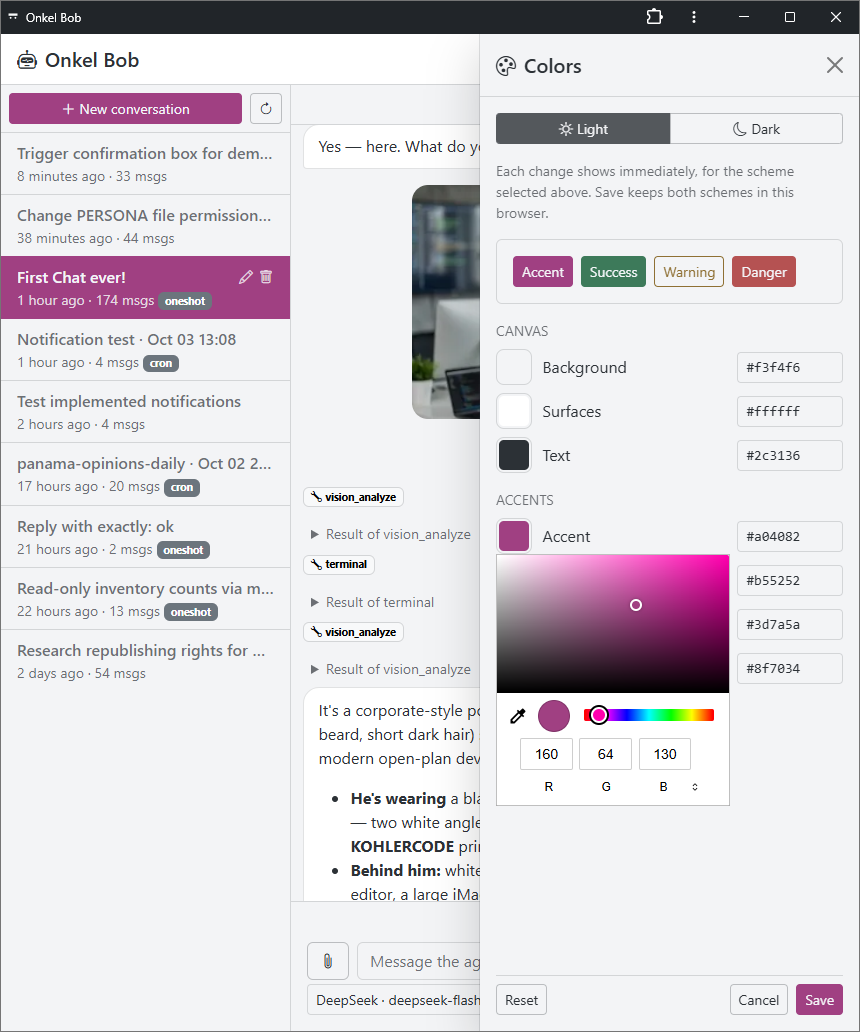
The interface ships in English and German, with a light theme and a dark theme.
How it is built
It is open source under the MIT license and runs on the stack most servers already have: nginx, PHP and SQLite.
FAQ
A Linux server with Hermes Agent already installed, a domain name, and the usual web stack: nginx, PHP and SQLite. The deployment scripts configure the web server, the database and the certificate on the server.
Yes. KocoUI is open source under the MIT license, and every line can be read before it is installed.
No. KohlerCode installs, monitors and maintains KocoUI for companies that would rather not run the server themselves. That is our managed infrastructure service.
Only the accounts an administrator creates. Signing in needs a password and a code from the authenticator app, with a limit on attempts and a block after repeated failures.
The ones your agent is already configured with. KocoUI does not ask for a second set of provider credentials.
Managed option
We install KocoUI on your server, keep it updated and watch it. Your team gets the interface it uses, and you get one person to call when something needs attention.