
Streaming chat, rendered Markdown
Replies stream in and render as sanitized GitHub-flavored Markdown, so code blocks, tables and lists stay readable.
KocoUI · Open source · MIT
A self-hosted PHP app that puts a Hermes agent behind your own domain: streaming chat, tool approvals, files and TOTP login. The agent stays on the server and the API key never reaches the browser.
Product
KocoUI is a custom web interface for Hermes Agent, written in PHP. The browser talks to the PHP app, the app talks to an existing Hermes gateway on localhost, and the API key stays in config.php outside the document root. The web process never runs the agent, and the browser never talks to the Hermes port.
PHP is a deliberate choice: it is what most web servers already run. The backend has no Composer dependencies, so the stack is nginx, PHP-FPM and SQLite. The frontend is Preact and ships as static assets. Login is a password plus a TOTP code, and users are created on the server, not through a signup form.
Capabilities
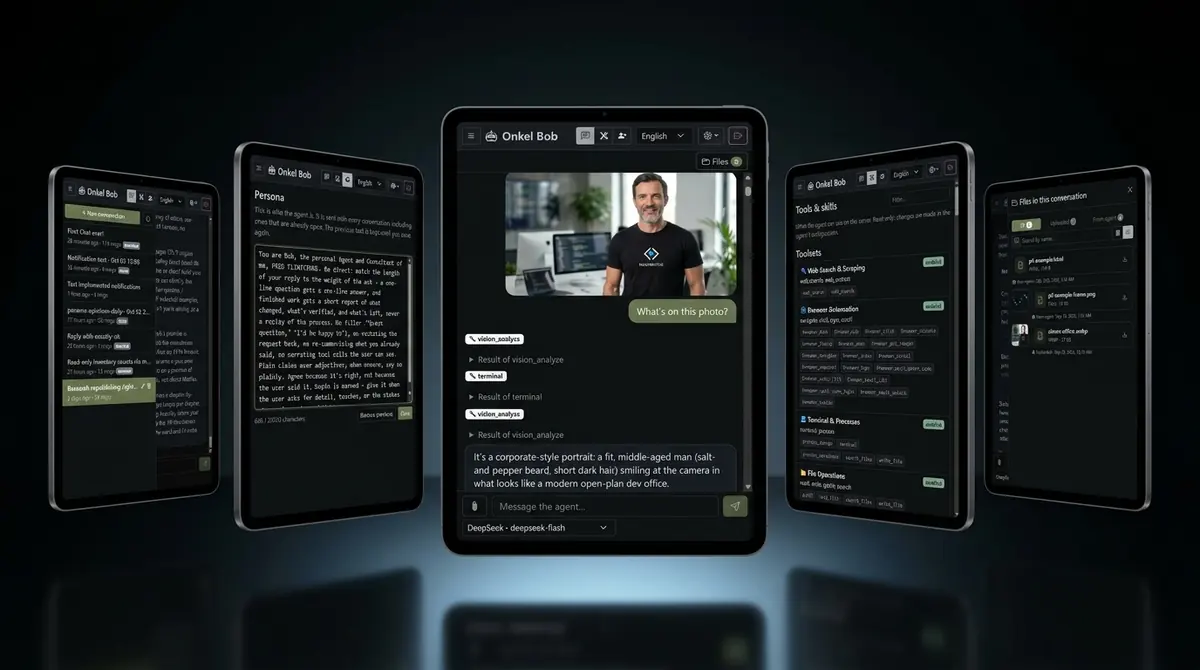
Replies stream in and render as sanitized GitHub-flavored Markdown, so code blocks, tables and lists stay readable.
When the agent wants to run a command, an inline card asks for once, session, always or deny. Approvals stay manual on the Hermes side.
Send a correction into a turn that is already working, or stop it, without starting a new conversation.
Pick the model, see which tools and skills the agent has, and manage scheduled jobs from the same interface.
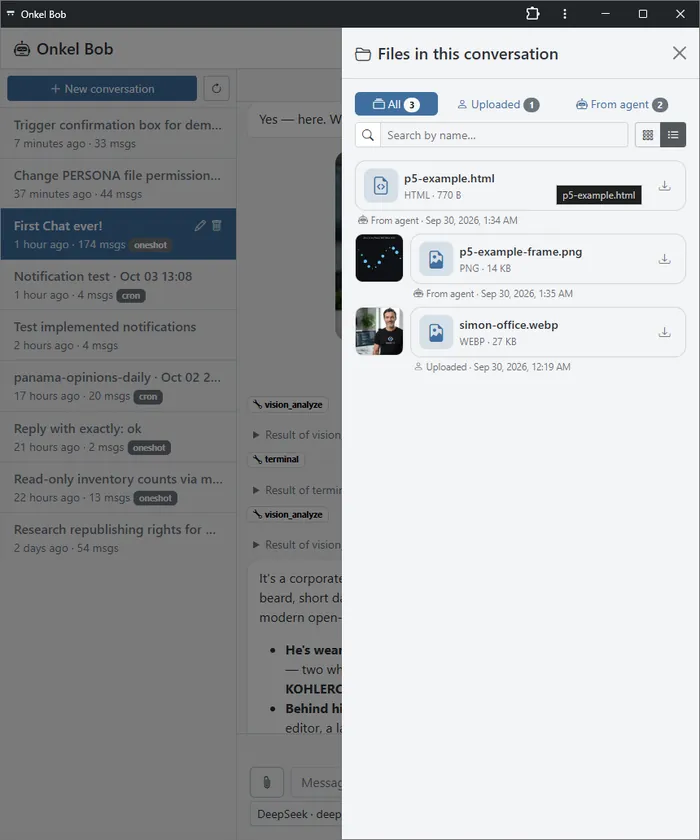
Upload by button, drag and drop, or paste. Documents and images the agent sends back land in an album with a lightbox.
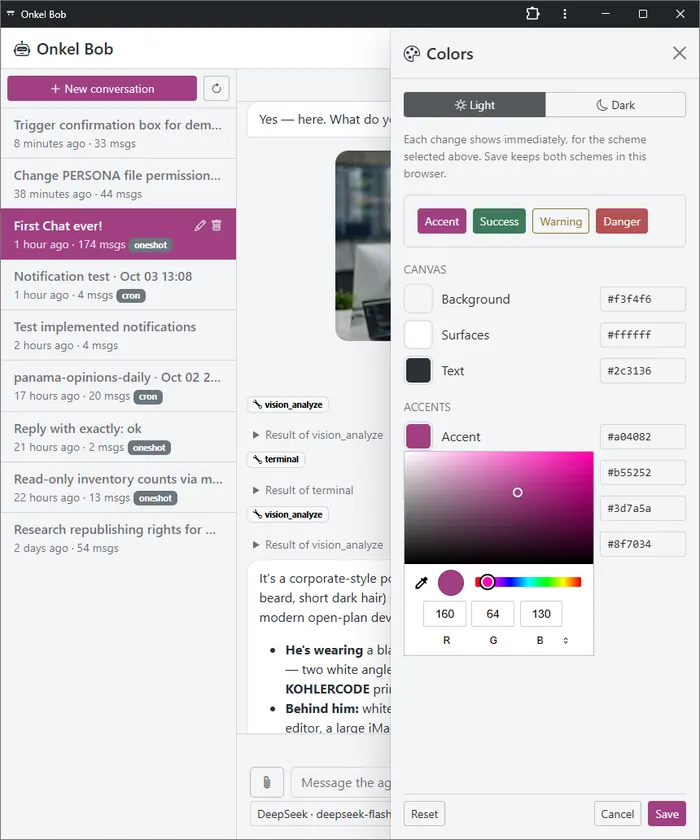
Edit the agent's SOUL.md in place, switch between light and dark, and run the interface in English, German or Spanish.
Screenshots from the repository: chat on phone and desktop, the files view, and the theme picker. All of it is the same app the demo serves.
The demo, the code, the install steps and the security notes are all public.
FAQ
No. KocoUI is an interface. It needs an existing Hermes Agent on the same server, with the gateway API bound to 127.0.0.1:8642.
In config.php outside the document root, on the server. The browser never receives it and never connects to the Hermes port.
With a password and a mandatory TOTP code. Accounts are created on the server with bin/kocoui; there is no self-registration and no password reset in the browser.
An Ubuntu 24.04 or 26.04 VPS with Hermes already installed, a DNS name for the interface, and Node 20.19+ or 22.12+ on your own machine to build the frontend.
It is version 0.x, built for a single operator. Push notifications are best effort, and signing in does not sandbox the agent, so treat the login as the front door of that machine.
Nothing. KocoUI is open source under the MIT license, and you run it on your own server.
Try it
The demo is the real interface with sample data: browse chats, files, tools and the persona page. When you want it on your own domain, the install guide covers the server side.